


Recopilación:
Display Screens


Pantalla de visualización 20/20HV para sistema H5000/Triton
Ref : 000-11088-001
Elige tu opción
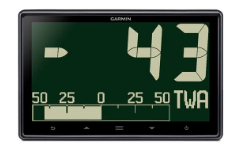

Pantalla GNX 120, 7"
Ref : 010-01395-00
Elige tu opción

Pantalla i60 viento
Ref : E70061
Elige tu opción


Pantalla digital Triton² de 4,1"
Ref : 000-13294-001
Elige tu opción


Pack Triton² velocidad/profundidad/viento cableado
Ref : 000-14955-003
Elige tu opción

Visualizador de mástil B&G 40/40HV para H5000 / Triton
Ref : 000-11090-001
Elige tu opción

Capó de protección B&G H5000 / H3000 analógico
Ref : BGH234017
Elige tu opción

VMH 70 7" - pantalla táctil multifunción para motor
Ref : B00129201
Elige tu opción

OceanLink 7" TFT - pantalla multifunción de motor
Ref : A2C1865330001
Elige tu opción

Pantalla maleta CZone COI/Touch 5
Ref : 80-911-0130-00
Elige tu opción


Panel de control de piloto automático a color p70Rs (motor) con botón giratorio
Ref : E70329
Elige tu opción

![[GARMIN] SERV™, Écran 10" - Garmin image 1](http://skysat.fr/cdn/shop/files/01_d2f7f656-b322-4ded-ad87-156dc5a62e12.jpg?v=1781647329&width=1200)
SERV™, Pantalla de 10"
Ref : 010-02764-10
Elige tu opción
![[GARMIN] SERV+™, Écran 10" - Garmin image 1](http://skysat.fr/cdn/shop/files/01_f70df807-bd8a-429c-a81c-46d4be3a4812.jpg?v=1781647301&width=1200)
SERV+™, Pantalla de 10"
Ref : 010-02764-00
Elige tu opción
![[GARMIN] SERV™, Écran 7" - Garmin image 1](http://skysat.fr/cdn/shop/files/01_a3d0c9b2-46c7-47f2-bc69-ccd0a83cea6a.jpg?v=1781647271&width=1200)
![[GARMIN] SERV™, Écran 7" - Garmin image 2](http://skysat.fr/cdn/shop/files/02_d0b6ee1d-c6f4-4598-b884-241f4449c6c3.jpg?v=1781647273&width=1200)
SERV™, Pantalla de 7"
Ref : 010-02763-10
Elige tu opción
![[GARMIN] SERV+™, Écran 7" - Garmin image 1](http://skysat.fr/cdn/shop/files/01_b79fb859-8ee6-4772-9d5a-8259db93c847.jpg?v=1781647240&width=1200)
![[GARMIN] SERV+™, Écran 7" - Garmin image 2](http://skysat.fr/cdn/shop/files/02_b5ba9df2-6f57-45aa-89ff-bc94772d92d4.jpg?v=1781647243&width=1200)
SERV+™, Pantalla de 7"
Ref : 010-02763-00
Elige tu opción


Pack controlador y pantalla de piloto automático B&G Triton²
Ref : 000-13561-001
Elige tu opción

Pack i50 Velocidad, Temperatura, Prof. sonda pasante
Ref : T70582
Elige tu opción


Pantalla de instrumentos Simrad IS42
Ref : 000-13285-001
Elige tu opción

Pack i70s Profundidad, Velocidad y Viento
Ref : T70216
Elige tu opción

Pantalla táctil de alta luminosidad B&G ZM19-T
Ref : 000-11737-002
Elige tu opción

Pantalla táctil B&G ZM16-T
Ref : 000-11736-001
Elige tu opción

Pack base procesador de navegación para velero B&G Triton Edge
Ref : 000-11548-002
Elige tu opción

Pantalla táctil de alta luminosidad Simrad MO19-T
Ref : 000-11262-002
Elige tu opción


Pack piloto automático EV-100
Ref : T70153
Elige tu opción

Pantalla 24" Wide 1920x1080 píxeles, 300 cd/m², montaje empotrado, 24Vcc y 115/230Vca
Ref : HD24T22FUD-MA1FOGA
Elige tu opción


Pantalla marina Hatteland 17" LCD táctil - HD17T22MMD-MA1FOGA
Ref : HD17T22MMD-MA1FOGA
Elige tu opción


Hatteland
Soporte para pantalla 15" Serie 1
Ref : HDJH15TBRSTD-B1
Elige tu opción


IMD03230001PK2 Indicador + Calculador + Mando remoto + PG700 + LE-2200843 RV112V
Ref : IMD03230003PK2
Elige tu opción
IMD03230001PK1 Indicador + Calculador + Mando remoto + PG700
Ref : IMD03230003PK1
Elige tu opción


FI70PK1 — Pack de instrumentos multifunción FI70 Velocidad/Profundidad/Viento
Ref : IMD03413001PK1
Elige tu opción


FI70 — Indicador multifunción color 4,1" - 320×240 (QVGA) - 700 cd/m² - IPX6 - NMEA2000 - 6 m
Ref : IMD03413001
Elige tu opción


RD33 - Repetidor de datos marinos de 4,3 pulgadas
Ref : IMD02361001
Elige tu opción


MU192HD - Monitor marino 19 pulgadas SXGA
Ref : IMD040530BA
Elige tu opción


MU152HD — Monitor marino 15'' LCD TFT a color, empotrado, 1000 cd/m², IP56 (parte trasera IP22)
Ref : IMD040540BA
Elige tu opción

OD-START-KIT — Kit de arranque NMEA2000 que incluye:
Ref : OD-STARTER-KIT
Elige tu opción


Adaptador NMEA2000 MICRO5C MFFFFF Certificado
Ref : OD-NAW-MM1MF1MF4001
Elige tu opción

Para montaje en consola/techo. Probado EN60945. Abrazadera adaptada para 15, 17 y 19 pulgadas Serie X
Ref : HD-TMB-SX2-A1
Elige tu opción


Kit de retrofit OP20-50 SC30-SC33
Ref : 00150681000
Elige tu opción


NAVPILOT711CPK1 — Piloto automático CAN Bus, 4,1", indicador, procesador, realimentación rotativa
Ref : IMD034240AB
Elige tu opción

Puente de mando VOLVO IPS
Ref : 00003802400
Elige tu opción

YAMAHA-HM-GATEWAY Puente Yamaha HelmMaster para NAVPILOT300
Ref : 00003802500
Elige tu opción


FAP-6112 - Sensor de ángulo de timón rotatorio con cable de 20 m
Ref : 00003767800
Elige tu opción


NAVpilot-300 - Piloto automático NMEA 2000 con mando inalámbrico
Ref : IMD03230003
Elige tu opción

Material de instalación CP26-00300 (30 m) que incluye: Cable FI50-SENSOR-30 de 30 m para anemómetro/girouette
Ref : 00001051100
Elige tu opción

FI70PK2 — Pack de instrumentos multifunción FI70 Velocidad/Profundidad/Viento
Ref : IMD03413001PK2
Elige tu opción

Interfaz IF-2550-IEC1 de FURUNO multifuncional y programable (reemplaza MD550 y mucho más)
Ref : 00003783100
Elige tu opción


TZT16F — Pantalla multifunción táctil NavNet TZtouch3 15,6'' GPS, sonda CHIRP y Wi-Fi integrados
Ref : IMD035000AB
Elige tu opción


Pantalla multifunción táctil 24" IPS con lector de cartas
Ref : IMD041130AA
Elige tu opción


Pantalla multifunción táctil NavNet TZTXL 15,6" IPS lector de cartas con GPS, sonda
Ref : IMD041110AA
Elige tu opción

FCV1150 - Sonda profesional de 12,1 pulgadas, 1 a 3 kW
Ref : IMD03007001
Elige tu opción


FCV600 — Sonda TrueEcho CHIRP 5,7"
Ref : IMD040670AA
Elige tu opción
Hatteland
JH19T14FUD-MR1AOAA - Pantalla marina TFT de 19 pulgadas empotrable
Ref : HDJH19T14FUD-MR1AOAA
Elige tu opción


Hatteland
Pantalla TFT 15", retroiluminación LED, 250 cd/m² - 24 Vcc, DVI, RGB y
Ref : HDJH15T17FUD-DA1AOAA
Elige tu opción


FR12 — Pantalla LCD de radar en color de 12,1" + Radar serie DRS opcional a elegir — sin cable
Ref : IMD040250BA
Elige tu opción

FR10 — Pantalla LCD de radar en color de 10,4'' + radar serie DRS opcional a elegir — sin cable
Ref : IMD040240BA
Elige tu opción

M1815 — Radar MODEL 1815 8"4 sin radomo y sin cable para uso multipuesto
Ref : IMD03492010
Elige tu opción


SFD-1012 - Pantalla táctil marina de 12,1 pulgadas para DFF3D
Ref : IMD040220AA
Elige tu opción


SFD-1010 - Pantalla táctil marina de 10,4 pulgadas para DFF3D
Ref : IMD040210AA
Elige tu opción

Pantalla 19" 1280x1024 píxeles, 300 cd/m², montaje empotrado, 24 Vcc y 115/230 Vca
Ref : HD19T22FUD-MA1FOGA
Elige tu opción

Pantalla de 15" 1024x768 píxeles, 400 cd/m², montaje empotrado, 24 Vcc y 115/230 Vca
Ref : HD15T22FUD-MA1FOGA
Elige tu opción
Abrazadera para pantalla 19” MU192HD
Ref : 00163462000
Elige tu opción


i40 Bidata
Ref : E70066
Elige tu opción


Cable de alimentación & Raynet - Instrumento de rendimiento Alpha Performance 5m
Ref : A80753
Elige tu opción


Cable de alimentación y Raynet - Instrumento de rendimiento Alpha Performance 1m
Ref : A80752
Elige tu opción

H5000 ANALOGUE AWA 360
Ref : 000-11714-001
Elige tu opción


Pantalla PC 21.5'' 16/9 Full HD 12V VGA/DVI
Ref : IELED21
Elige tu opción


Pack i70s Smart Wind System con i70s, RSW Smart Wind, DST820, conexión de 5 vías, cable dorsal SeaTalk NG de 3 metros, alimentación, T-piece y 2 terminadores
Ref : T70607
Elige tu opción


Pack i70 con elemento de cabeza de mástil corto, sondas pasantes de velocidad/temperatura/profundidad ST900/P120 y P319
Ref : T70586
Elige tu opción


Pack i50 Tridata & i60 Viento con elemento de mástil corto, sondas pasantes Velocidad/Temperatura/Profundidad ST900/P120 & P319
Ref : T70585
Elige tu opción


Pack i50 Sonda Profundidad & i60 Viento con elemento de cabeza de mástil corto, sondas pasantes Velocidad/Temperatura/Profundidad ST900/P120 & P319
Ref : T70584
Elige tu opción

Pack i50 Loch con sonda de través retráctil Velocidad/Temperatura ST900/P120
Ref : T70583
Elige tu opción


Kit de viento inalámbrico con sensor de compás para STNG (E70361, T120, E70096, T113-868, A06049, A06036, A06064, A06031, A06028)
Ref : T70344
Elige tu opción


Kit de viento inalámbrico para STNG (E70361, T120 y T113)
Ref : T70338
Elige tu opción


Pack antena Raystar 150 10Hz GPS/Glonass (STng) para montaje tubular
Ref : T70327
Elige tu opción


Pantalla Alpha 9" Instrumento de rendimiento
Ref : E70650
Elige tu opción


Pantalla Alpha 7" Instrumento de rendimiento
Ref : E70649
Elige tu opción


Pack i60 Viento, con elemento de cabeza de mástil corto y 30 m de cable (E22078)
Ref : E70150
Elige tu opción


Pack i50 Sonda, con sonda de través P19 (M78713-PZ)
Ref : E70148
Elige tu opción


Pack Raymarine i40 Bidata Vel/Temp/Prof., con sensores de paso P371 & P7 (E26008 & E26009)
Ref : E70145
Elige tu opción


Pack i40 Sonda, con sonda de panel P66 (E26027-PZ)
Ref : E70143
Elige tu opción


Pack i40 Sonda, con sonda de través P7 (E26009)
Ref : E70142
Elige tu opción


Teclado GNX™
Ref : 010-12255-00
Elige tu opción


Pack de inicio por cable GMI™ 52
Ref : 010-01248-80
Elige tu opción


TD 50, pantalla táctil de 5"
Ref : 010-02139-10
Elige tu opción


Pack de instrumentos inalámbrico GNX™ 52 para vela
Ref : 010-01616-40
Elige tu opción


Pack vela inalámbrico GNX™ 43
Ref : 010-01616-30
Elige tu opción


Pack de viento inalámbrico (GNX™ Wind + gWind™ inalámbrico 2)
Ref : 010-01616-10
Elige tu opción


Pack cableado de navegación Garmin GMI™/GNX™ 52
Ref : 010-01248-90
Elige tu opción


Pack de cableado GNX™ 52 para velas
Ref : 010-01248-70
Elige tu opción


Pack cableado de navegación GNX™ 43
Ref : 010-01248-60
Elige tu opción


GNX™ Wind: instrumento de viento
Ref : 010-01142-30
Elige tu opción


GNX™ 21 - instrumento de navegación
Ref : 010-01142-10
Elige tu opción


SmartSolar Pluggable Display
Ref : SCC900650010
Elige tu opción

Pantalla EasyView 5
Ref : 77010310
Elige tu opción


Pantalla SmartRemote
Ref : 77010600
Elige tu opción


Visualizador SmartRemote OEM (sin cables)
Ref : 77010500
Elige tu opción
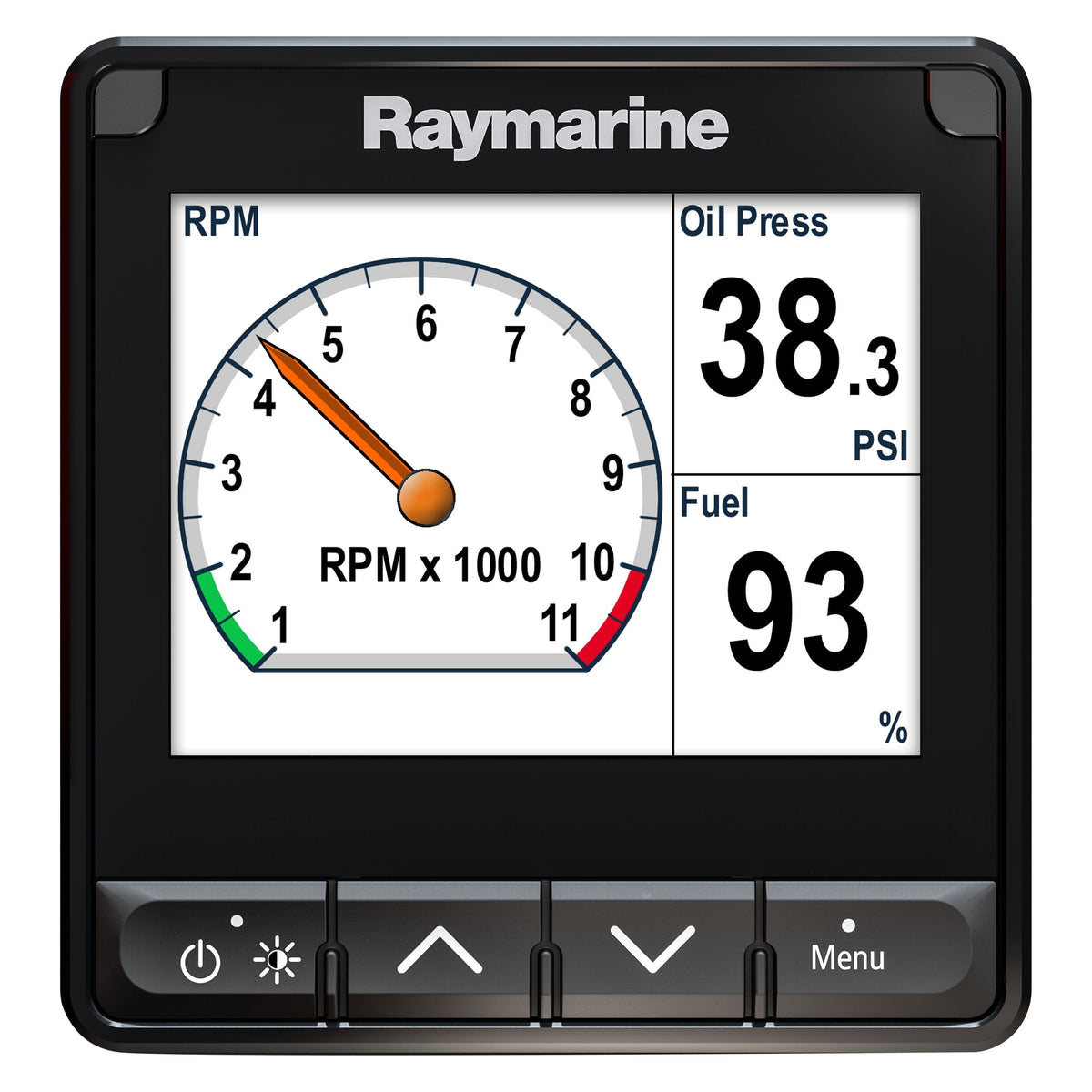

Pantalla multifunción i70s
Ref : E70327
Elige tu opción


Pack i50 & i60 Viento, Velocidad, Prof.
Ref : E70153
Elige tu opción

Pantalla i50 Depth Sonda
Ref : E70059
Elige tu opción

Pantalla i50 Speed
Ref : E70058
Elige tu opción


Pantalla multifunción GMI 20 - 4''
Ref : 010-01140-00
Elige tu opción


Pantalla GNX™ 20 - 4"
Ref : 010-01142-00
Elige tu opción


Pantalla Digital i50 Tridata
Ref : E70060
Elige tu opción


Afficheur NEMESIS
Ref : 000-15611-001
Elige tu opción

Pantalla de visualización 30/30HV para sistema H5000/Triton
Ref : 000-11089-001
Elige tu opción

Pantalla de visualización 10/10HV para sistema H5000/Triton
Ref : 000-11087-001
Elige tu opción
Más información
Display Screens: clear and precise information on board
Display screens are the crucial interface between you and your boat's data. At Skysat, with our offshore racing experience, we know that readable and reliable information is paramount for safety and performance. This section guides you through the different types of screens, their technologies, and how to choose the one that best meets your needs.
Choosing the right type of screen
The market offers a variety of screens, each with its specificities. From simple multifunction displays to high-resolution touchscreens, the choice depends on your navigation program, available space, and budget. It is crucial to understand the advantages and disadvantages of each technology to make an informed decision.
- Multifunction Displays (MFDs): Versatile, they combine multiple functions (GPS, sonar, radar) and can be integrated into an NMEA 2000 network.
- Dedicated Screens: Designed to display specific information (rudder angle, wind speed), they offer optimal readability in difficult conditions.
- Touchscreens: Intuitive, they facilitate menu navigation and offer a modern user experience. Be mindful of readability in direct sunlight and robustness in a marine environment.
- Screen Size and Resolution: A larger screen improves readability but consumes more power. High resolution ensures a sharp and precise image.
Screen integration and compatibility
Integrating a screen into your onboard network is an essential aspect. Ensure compatibility with your sensors and other instruments. NMEA 2000 and SeaTalk NG protocols are the most common, but some devices may require adapters or specific configurations.
- NMEA 2000: Modern communication standard, it allows data sharing between different compatible devices.
- SeaTalk NG: Raymarine's proprietary protocol, it offers seamless integration with the brand's products.
- Sensor Compatibility: Check that the screen is compatible with your wind, depth, speed sensors, etc.
- Power Supply: Ensure a stable power supply suitable for the screen's consumption.
Brightness and readability
Readability is a paramount criterion, especially in direct sunlight. Opt for a screen with high brightness (expressed in candelas per square meter, cd/m²) and good contrast. Screens with anti-glare treatment also improve visibility.
- Brightness (cd/m²): The higher the value, the more readable the screen is in direct sunlight.
- Contrast: High contrast improves color differentiation and image sharpness.
- Viewing Angle: Check the screen's viewing angle for optimal readability, regardless of your position.
- Anti-glare Treatment: Reduces reflections and improves visibility in bright light conditions.
💡 Skysat's advice
Before installing your screen, test it in different lighting conditions to ensure it meets your needs. Do not hesitate to consult the technical documentation to optimize settings and customize data display.


