


Collection:
Display screens
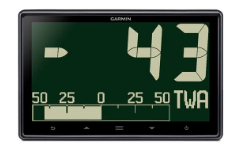

GNX 120 display, 7"
Ref : 010-01395-00
Choose your option

i60 wind display
Ref : E70061
Choose your option


Triton² 4.1" Digital Display
Ref : 000-13294-001
Choose your option

Triton speed/depth display pack
Ref : 000-13298-002
Choose your option


Triton² speed/depth/wind pack, wired
Ref : 000-14955-002
Choose your option


20/20HV display screen for H5000/Triton system
Ref : 000-11088-001
Choose your option

B&G 40/40HV mast display for H5000 / Triton
Ref : 000-11090-001
Choose your option

B&G H5000/H3000 analog display protection cover
Ref : BGH234017
Choose your option

VMH 70 7" - Touchscreen multifunction engine display
Ref : B00129201
Choose your option

OceanLink 7" TFT - multifunction engine display
Ref : A2C1865330001
Choose your option

CZone COI/Touch 5 Suitcase Display
Ref : 80-911-0130-00
Choose your option


Color control panel for P70RS autopilot (motor) with rotary knob
Ref : E70329
Choose your option

![[GARMIN] SERV™, Écran 10" - Garmin image 1](http://skysat.fr/cdn/shop/files/01_d2f7f656-b322-4ded-ad87-156dc5a62e12.jpg?v=1781647329&width=1200)
SERV™, 10" Display
Ref : 010-02764-10
Choose your option
![[GARMIN] SERV+™, Écran 10" - Garmin image 1](http://skysat.fr/cdn/shop/files/01_f70df807-bd8a-429c-a81c-46d4be3a4812.jpg?v=1781647301&width=1200)
SERV+™, 10" Display
Ref : 010-02764-00
Choose your option
![[GARMIN] SERV™, Écran 7" - Garmin image 1](http://skysat.fr/cdn/shop/files/01_a3d0c9b2-46c7-47f2-bc69-ccd0a83cea6a.jpg?v=1781647271&width=1200)
![[GARMIN] SERV™, Écran 7" - Garmin image 2](http://skysat.fr/cdn/shop/files/02_d0b6ee1d-c6f4-4598-b884-241f4449c6c3.jpg?v=1781647273&width=1200)
SERV™, 7" Display
Ref : 010-02763-10
Choose your option
![[GARMIN] SERV+™, Écran 7" - Garmin image 1](http://skysat.fr/cdn/shop/files/01_b79fb859-8ee6-4772-9d5a-8259db93c847.jpg?v=1781647240&width=1200)
![[GARMIN] SERV+™, Écran 7" - Garmin image 2](http://skysat.fr/cdn/shop/files/02_b5ba9df2-6f57-45aa-89ff-bc94772d92d4.jpg?v=1781647243&width=1200)
SERV+™, 7" Display
Ref : 010-02763-00
Choose your option


B&G Triton² Autopilot Controller & Display Pack
Ref : 000-13561-001
Choose your option

i50 Pack: Speed, Temperature, Depth through-hole probe
Ref : T70582
Choose your option


Simrad IS42 Instrument Display
Ref : 000-13285-001
Choose your option

i70s Depth, Speed and Wind Pack
Ref : T70216
Choose your option

B&G ZM19-T high-brightness touchscreen
Ref : 000-11737-002
Choose your option

B&G ZM16-T touchscreen display
Ref : 000-11736-001
Choose your option

Basic navigation processor pack for B&G Triton Edge sailing computer
Ref : 000-11548-002
Choose your option

Simrad MO19-T high-brightness touchscreen
Ref : 000-11262-002
Choose your option


EV-100 autopilot pack
Ref : T70153
Choose your option

24" Wide 1920x1080 pixels, 300cd/m², flush mount, 24VDC and 115/230VAC (on order)
Ref : HD24T22FUD-MA1FOGA
Choose your option


Hatteland 17" LCD Touch Marine Display - HD17T22MMD-MA1FOGA
Ref : HD17T22MMD-MA1FOGA
Choose your option


Hatteland
Bracket for 15" Series 1 display
Ref : HDJH15TBRSTD-B1
Choose your option


IMD03230001PK2 Indicator + Computer + Remote Control + PG700 + LE-2200843 RV112V
Ref : IMD03230003PK2
Choose your option
IMD03230001PK1 Indicator + Computer + Remote Control + PG700
Ref : IMD03230003PK1
Choose your option


FI70PK1 — FURUNO FI70 Multifunction Instrument Pack Speed/Depth/Wind
Ref : IMD03413001PK1
Choose your option


FI70 — Color multifunction display 4.1" - 320×240 (QVGA) - 700 cd/m² - IPX6 - NMEA2000 - 6m
Ref : IMD03413001
Choose your option


RD33 - 4.3-inch Marine Data Repeater
Ref : IMD02361001
Choose your option


MU192HD - 19-inch SXGA Marine Monitor
Ref : IMD040530BA
Choose your option


MU152HD — 15" marine-grade LCD TFT color monitor, flush-mount, 1000 cd/m², IP56 (rear IP22)
Ref : IMD040540BA
Choose your option

OD-START-KIT — NMEA2000 starter kit including:
Ref : OD-STARTER-KIT
Choose your option


NMEA2000 MICRO5C MFFFFF Certified Adapter
Ref : OD-NAW-MM1MF1MF4001
Choose your option

For console/ceiling mounting. Tested to EN60945. Clamp adapted for 15, 17 and 19 inch screens
Ref : HD-TMB-SX2-A1
Choose your option


OP20-50 Retrofit Kit SC30-SC33
Ref : 00150681000
Choose your option


NAVPILOT711CPK1 — Autopilot CAN Bus, 4.1", Display, Processor Unit, Rotary Feedback
Ref : IMD034240AB
Choose your option

VOLVO IPS Bridge
Ref : 00003802400
Choose your option

YAMAHA-HM-GATEWAY Yamaha HelmMaster bridge for NAVPILOT300
Ref : 00003802500
Choose your option


FAP-6112 - Rotary Rudder Feedback Sensor with 20 m Cable
Ref : 00003767800
Choose your option


NAVpilot-300 - NMEA 2000 autopilot with wireless controller
Ref : IMD03230003
Choose your option

CP26-00300 (30m) installation kit containing: FI50-SENSOR-30 cable 30m wind transducer/vane anemometer
Ref : 00001051100
Choose your option

FI70PK2 — FURUNO FI70 Multifunction Instrument Pack Speed/Depth/Wind
Ref : IMD03413001PK2
Choose your option

IF-2550-IEC1 Multipurpose and Programmable Interface (replaces MD550 and more)
Ref : 00003783100
Choose your option


TZT16F — 15.6" NavNet TZtouch3 multifunction touchscreen display with GPS, CHIRP fishfinder and integrated Wi-Fi
Ref : IMD035000AB
Choose your option


24" IPS touchscreen multifunction display with chartplotter
Ref : IMD041130AA
Choose your option


FURUNO NavNet TZTXL 15.6" IPS touchscreen multifunction display with chartplotter, GPS, and depth sounder
Ref : IMD041110AA
Choose your option

FCV1150 - 12.1-inch Professional Fish Finder, 1 to 3 kW
Ref : IMD03007001
Choose your option


FCV600 — TrueEcho CHIRP Fishfinder 5.7"
Ref : IMD040670AA
Choose your option
Hatteland
JH19T14FUD-MR1AOAA - 19-inch Flush-Mount Marine TFT Display
Ref : HDJH19T14FUD-MR1AOAA
Choose your option


Hatteland
TFT 15" Display, LED Backlight, 250cd/m² - 24VDC, DVI, RGB and
Ref : HDJH15T17FUD-DA1AOAA
Choose your option


FR12 — 12.1" color radar LCD + optional DRS series radar — cable not included
Ref : IMD040250BA
Choose your option

FR10 — 10.4" color LCD radar + optional DRS series radar — cable-free
Ref : IMD040240BA
Choose your option

M1815 — FURUNO Radar MODEL 1815 8"4 without radome and without cable for multipost use
Ref : IMD03492010
Choose your option


SFD-1012 - 12.1-inch Marine Touch Display for DFF3D
Ref : IMD040220AA
Choose your option


SFD-1010 - 10.4-inch Marine Touch Display for DFF3D
Ref : IMD040210AA
Choose your option

19" 1280x1024 pixel display, 300cd/m², Flush Mount, 24VDC and 115/230VAC
Ref : HD19T22FUD-MA1FOGA
Choose your option

15" 1024x768 pixel display, 400cd/m², flush mount, 24VDC and 115/230VAC (on order)
Ref : HD15T22FUD-MA1FOGA
Choose your option
Bracket for 19" MU192HD FURUNO display
Ref : 00163462000
Choose your option


Choose your option


Power & Raynet Cable - Alpha Performance Instrument 5m
Ref : A80753
Choose your option


Power & Raynet Cable - Alpha Performance Instrument 1m
Ref : A80752
Choose your option

H5000 ANALOGUE AWA 360
Ref : 000-11714-001
Choose your option


21.5'' 16/9 full HD 12V VGA/DVI PC screen
Ref : IELED21
Choose your option


i70s Smart Wind System Pack with i70s, RSW Smart Wind, DST810, 5-way, SeaTalk NG backbone cable 3 meters, power, T-piece & 2 terminators
Ref : T70607
Choose your option


Raymarine i70 pack with short masthead element, through-hull Speed/Temperature/Depth sensors ST900/P120 & P319
Ref : T70586
Choose your option


Raymarine T70585 pack: i50 Tridata & i60 Vent with short masthead element, through-hull Speed/Temperature/Depth sensors ST900/P120 & P319
Ref : T70585
Choose your option


Raymarine i50 Depth Sounder & i60 Wind Pack with short masthead element, through-hull Speed/Temperature/Depth transducers ST900/P120 & P319
Ref : T70584
Choose your option

Raymarine i50 Loch Pack with retractable through-hull speed/temperature sensor ST900/P120
Ref : T70583
Choose your option


Wireless wind kit including compass sensor for STNG (E70361, T120, E70096, T113-868, A06049, A06036, A06064, A06031, A06028)
Ref : T70344
Choose your option


Wireless wind kit for STNG (E70361, T120 & T113)
Ref : T70338
Choose your option


Raystar 150 10Hz GPS/Glonass antenna (STng) pack for tubular mounting
Ref : T70327
Choose your option


Alpha 9" Performance Instrument display
Ref : E70650
Choose your option


Alpha 7" Performance Instrument Display
Ref : E70649
Choose your option


i60 Wind Pack with short masthead sensor and 30m cable (E22078)
Ref : E70150
Choose your option


Raymarine i50 Depth Sounder Pack with P19 Through-Hull Transducer (M78713-PZ)
Ref : E70148
Choose your option


Raymarine i40 Bidata pack: speed/depth/temperature with through-hull sensors P371 & P7 (E26008 & E26009)
Ref : E70145
Choose your option


Raymarine i40 Depth Sounder Pack with P66 Transducer (E26027-PZ)
Ref : E70143
Choose your option


Raymarine i40 Depth Sounder Pack, with P7 Through-Hull Transducer (E26009)
Ref : E70142
Choose your option

i40 Depth Sounder
Ref : E70064
Choose your option


GNX™ Keypad
Ref : 010-12255-00
Choose your option


GMI 52 Wired Starter Pack
Ref : 010-01248-80
Choose your option


TD 50, 5" touchscreen display
Ref : 010-02139-10
Choose your option


GNX™ 52 Wireless Sailing Pack
Ref : 010-01616-40
Choose your option


GNX™ 43 wireless sailing pack
Ref : 010-01616-30
Choose your option


Wireless wind pack (GNX™ Wind + gWind™ Wireless 2)
Ref : 010-01616-10
Choose your option


Garmin GMI/GNX 52 wired sail pack
Ref : 010-01248-90
Choose your option


GNX™ 52 wired sail pack
Ref : 010-01248-70
Choose your option


GNX™ 43 wired sail pack
Ref : 010-01248-60
Choose your option


GNX™ Wind: Wind Instrument
Ref : 010-01142-30
Choose your option


GNX™ 21 - navigation instrument
Ref : 010-01142-10
Choose your option


SmartSolar Pluggable Display
Ref : SCC900650010
Choose your option

EasyView 5 Display
Ref : 77010310
Choose your option


SmartRemote Display
Ref : 77010600
Choose your option


SmartRemote OEM display (cable-free)
Ref : 77010500
Choose your option
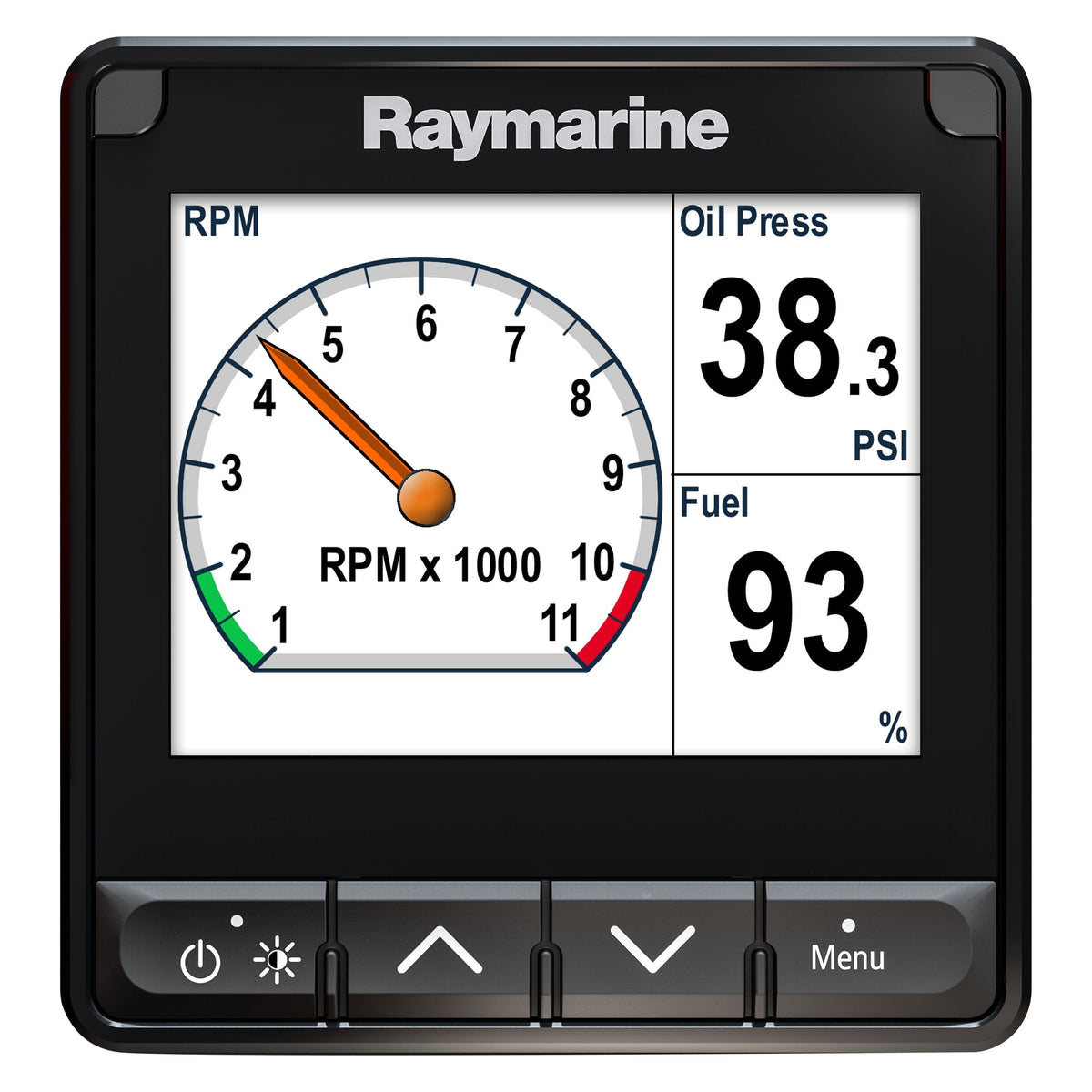

i70s Multifunction Display
Ref : E70327
Choose your option


Pack i50 & i60 Wind, Speed, Prof.
Ref : E70153
Choose your option

i50 Depth Sounder Display
Ref : E70059
Choose your option

i50 Speed Display
Ref : E70058
Choose your option


GMI 20 Multifunction Display - 4"
Ref : 010-01140-00
Choose your option


GNX™ 20 Display - 4"
Ref : 010-01142-00
Choose your option


i50 Tridata Digital Display
Ref : E70060
Choose your option


NEMESIS Display
Ref : 000-15611-001
Choose your option

30/30HV display screen for H5000/Triton system
Ref : 000-11089-001
Choose your option

10/10HV display screen for H5000/Triton system
Ref : 000-11087-001
Choose your option
Learn more
Display screens: clear and precise information on board
Display screens are the crucial interface between you and your boat's data. At Skysat, drawing on our experience in offshore racing, we know that clear and reliable information is essential for safety and performance. This section guides you through the different types of displays, their technologies, and how to choose the one that best suits your needs.
choose the right type of screen
The market offers a variety of screens, each with its own specific features. From simple multifunction displays to high-resolution touchscreens, the choice depends on your navigation program, available space, and budget. Understanding the advantages and disadvantages of each technology is crucial for making an informed decision.
- Multifunction Displays (MFDs): Versatile, they combine several functions (GPS, sounder, radar) and can be integrated into an NMEA 2000 network.
- Dedicated screens: Designed to display specific information (rudder angle, wind speed), they offer optimal readability in difficult conditions.
- Touchscreens: Intuitive, they facilitate menu navigation and offer a modern user experience. Pay attention to readability in direct sunlight and robustness in marine environments.
- Screen size and resolution: A larger screen improves readability but consumes more power. High resolution ensures a sharp and clear image.
screen integration and compatibility
Integrating a display into your onboard network is essential. Ensure compatibility with your sensors and other instruments. NMEA 2000 and SeaTalk NG protocols are the most common, but some devices may require adapters or specific configurations.
- NMEA 2000: A modern communication standard, it allows data to be shared between different compatible devices.
- SeaTalk NG: Raymarine's proprietary protocol, it offers seamless integration with the brand's products.
- Sensor compatibility: Check that the screen is compatible with your wind, depth, speed, etc. sensors.
- Power supply: Ensure you have a stable power supply that is suitable for the screen's power consumption.
brightness and readability
Readability is a key criterion, especially in direct sunlight. Opt for a screen with high brightness (expressed in candelas per square meter, cd/m²) and good contrast. Screens with an anti-glare coating also improve visibility.
- Brightness (cd/m²): The higher the value, the more readable the screen is in direct sunlight.
- Contrast: High contrast improves color differentiation and image sharpness.
- Viewing angle: Check the screen's viewing angle for optimal readability, regardless of your position.
- Anti-reflective coating: Reduces reflections and improves visibility in bright light conditions.
💡 Skysat's advice
Before installing your monitor, test it under different lighting conditions to ensure it meets your needs. Consult the technical documentation to optimize settings and customize data display.


